> ## Documentation Index
> Fetch the complete documentation index at: https://docs.prelude.so/llms.txt
> Use this file to discover all available pages before exploring further.
# Prevent Fraud
> Configure your integration to protect your application against fraud like SMS pumping or IRSF fraud with Prelude's machine learning models.
The bigger your application, the more likely it is to be targeted by fraudsters.
Fraudsters inspect and copy your app's backend API requests and modify them to send verification
codes to themselves to retrieve the SMS charges. This is called **SMS pumping** or **IRSF fraud** (read more about it [here](https://en.wikipedia.org/wiki/Phone_fraud)).
# Signals
Prelude's machine learning models use a number of *signals* to distinguish fraudulent users from legitimate users.
We infer some of these signals, but many depend on the information provided by your integration.
The more data you provide, the more effective fraud prevention will be and the higher your conversion rate will be.
## Important signals to send to Prelude
To increase the effectiveness of fraud prevention, we recommend that you send the following signals to Prelude:
| Data | Estimated improvement | Description |
| --------------- | --------------------- | ----------------------------------------------------------------------------------------------------------------------------------------------------------------------------------------------------------------------------------------------------------------------------------------------- |
| IP address | 50% | The public IP v4 or v6 address of the end-user's device. You should collect this from your backend. If your backend is behind a proxy, use the `X-Forwarded-For`, `Forwarded`, `True-Client-IP`, `CF-Connecting-IP` or an equivalent header to get the true public IP of the end-user's device. |
| Device ID | 40% | A unique ID for the user's device. You should ensure that each user device has a unique device\_id. Ideally, for Android, this corresponds to the `ANDROID_ID` and for iOS, this corresponds to the `identifierForVendor`. |
| Platform | 35% | The platform of the user's device (iOS or Android). |
| JA4 fingerprint | 30% | The JA4 TLS fingerprint observed for the user's connection. Prelude will infer it automatically when you use our [Frontend SDKs](/introduction/frontend-sdks/introduction) (which use Prelude's edge network), but you can also forward the value if you terminate TLS yourself. |
| Device model | 20% | The model of the user's device. |
| OS Version | 20% | The version of the user's device operating system. |
| App version | 10% | The version of your application. |
### Inferring signals from the User-Agent
Some signals can be inferred from the User-Agent string if you provide it to us:
* Platform
* Device model
* OS version
If the individual fields (`os_version`, `device_platform`, `device_model`) are provided, they will take precedence over those values instead of parsing them from the user agent string.
### Adding more signals using our Frontend SDKs
You can add more signals that are collected directly from the user's device using our [Frontend SDKs](/introduction/frontend-sdks/introduction).
Learn how to integrate the Web SDK into your application.
Learn how to integrate the Android SDK into your application.
Learn how to integrate the iOS SDK into your application.
Learn how to integrate the React Native SDK into your application.
Learn how to integrate the Flutter SDK into your application.
### Selectively bypassing the anti-fraud system
This feature, if implemented incorrectly, could substantially increase the risk of fraud attacks. If you need this feature, [contact our support team](mailto:support@prelude.so) to validate your implementation, and to enable it on your account free of charge.
You can use the `is_trusted_user` signal to completely bypass the antifraud system for a specific verification request.
This field should indicate the trustworthiness of the user on your app, beyond just a basic validity check. It should ensure trust by confirming that the user is genuine within the context of your application. Examples of validation criteria include whether the user has completed onboarding steps, performed valid transactions, or completed a purchase.
When set to true, this **will bypass fraud checks** for that user.
### Forcing a verification into challenge mode
This feature is disabled by default. [Contact our support team](mailto:support@prelude.so) to enable it on your account.
Set `options.force_challenge` to `true` on the create-verification request when you have your own signal that a request is suspicious and want stricter routing — for example, when your application has detected automated behavior, an unusual sign-in pattern, or a velocity anomaly that Prelude's signals alone wouldn't see.
When set:
* The verification is routed through challenge-safe channels (non-SMS and non-voice) regardless of country or any antispam outcome.
* The response status is `challenged`. If no challenge-safe channel is available for the destination, the verification is returned as `blocked`.
* The verification is **not** classified as fraud — it does not contribute to anti-fraud counters or risk factors, and it is not surfaced as suspicious traffic in the dashboard.
```json theme={null}
POST /v2/verification
{
"target": { "type": "phone_number", "value": "+40123456789" },
"options": { "force_challenge": true }
}
```
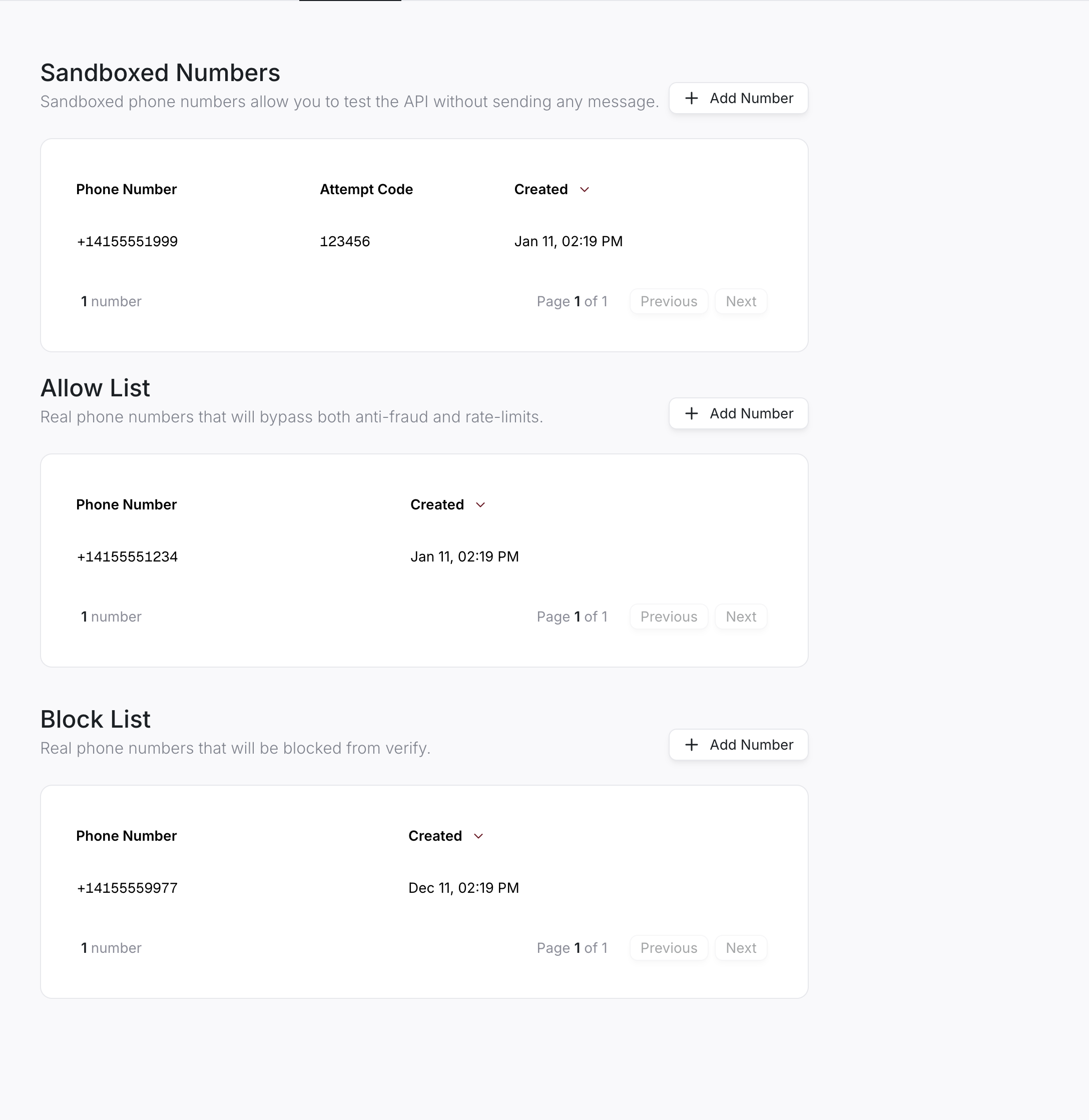
## Allow and block lists
You can configure your integration to allow or block specific users from signing in.
This can be useful if you want to manually block users you have identified as fraudulent or to disable anti-fraud algorithms for specific users.
To edit the allow or block lists, go to the [Dashboard](https://app.prelude.so) and navigate to the **Verify API > Configure > Numbers** tab.