> ## Documentation Index
> Fetch the complete documentation index at: https://docs.prelude.so/llms.txt
> Use this file to discover all available pages before exploring further.
# Test Numbers
> Learn how to confirm that your integration is working properly by simulating verifications without incurring charges using special test numbers.
Test numbers are special phone numbers you register on your account that never reach a real carrier. When you create a verification against a test number, Prelude short-circuits the flow: no message is sent, no cost is incurred, and the code is a fixed value you set when creating the number. Reach for them in automated integration tests and during local development — any time you want to exercise the end-to-end Verify flow without touching production messaging.
Test numbers let you simulate several scenarios:
* Successful verification flows
* Errors resulting from too many attempts
* Errors due to invalid codes or expired verifications
It's currently not possible to assign a specific error code to a test number.
# How to use test numbers
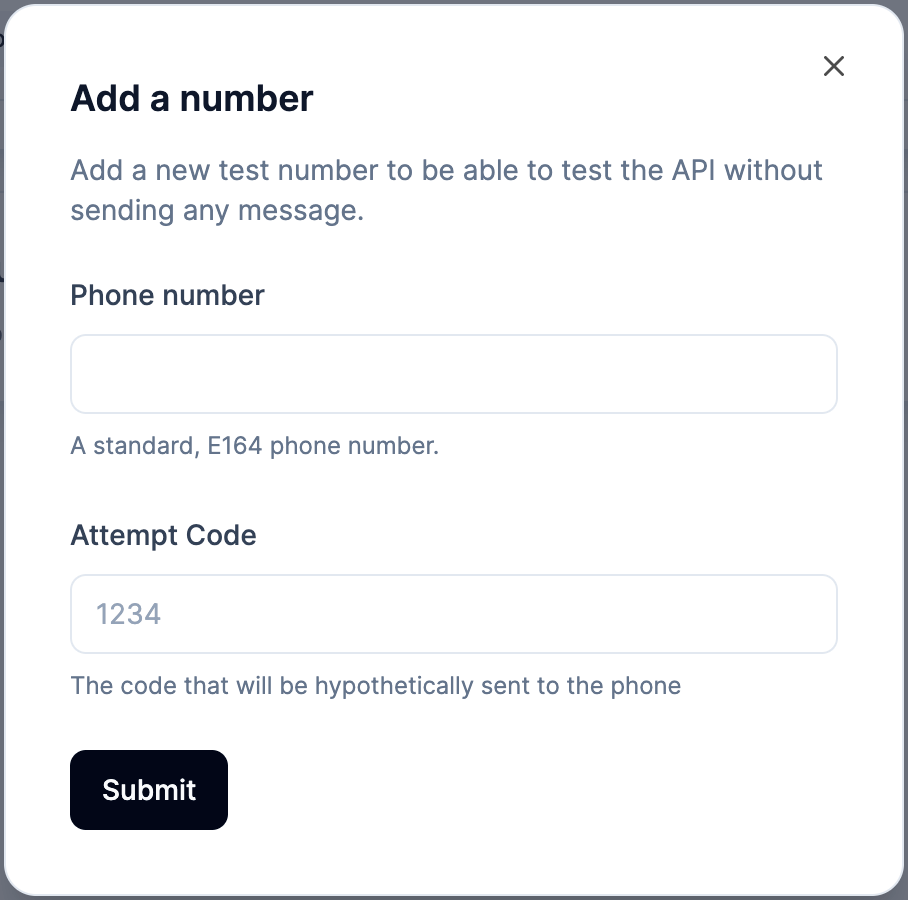
Upon creation of a test number, you need to provide a specific code to be associated to it.
It will be the only one to be accepted by the **Check** endpoint.
To create a test number, go to **Verify API > Configure > Numbers** on the Dashboard and click the **Add Number** button.
{" "}