

Choose your opt-in screen
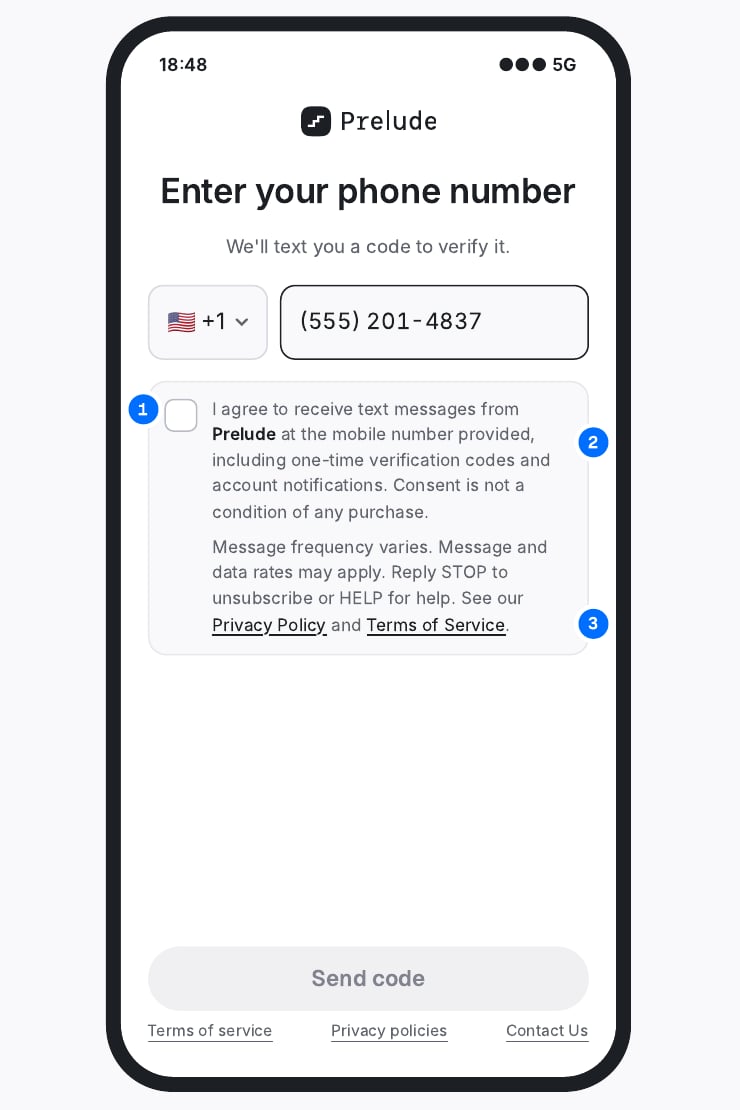
Transactional: verification codes and account notifications. One checkbox. The user cannot continue until they check it.
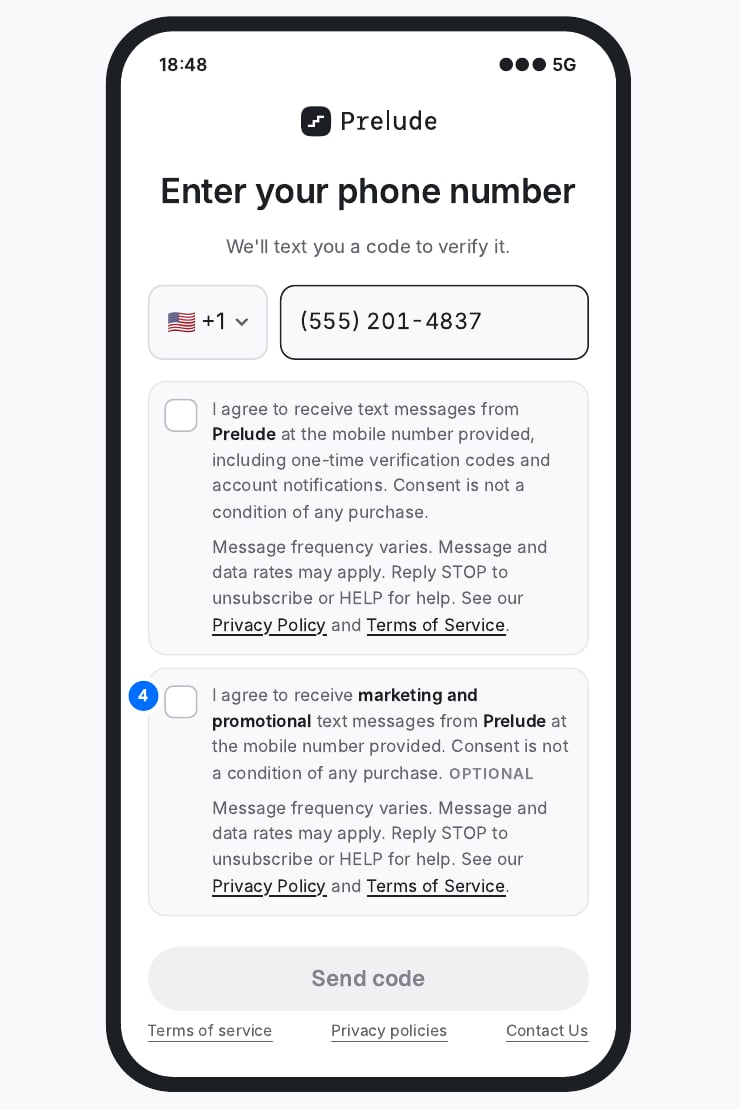
Transactional + marketing: codes plus promotional messages. Two separate checkboxes. Marketing is optional and never blocks the flow.
What carriers check on the screen
Each point must be visible in the screenshot you submit with the registration.1
Active, unchecked checkbox
The user taps it themselves, on the same screen where they enter their phone number, before the code is sent. It is never pre-checked.
2
Full consent text in English
Brand name, what messages they will receive, and that consent is not a condition of purchase.
3
Frequency, rates, STOP and HELP, plus links
The Privacy Policy and Terms of Service are linked directly in the consent text.
4
A separate box for marketing
If you send both transactional and marketing messages, use two checkboxes. Marketing stays optional.
Consent text
Replace the brand name and message types with your own.Transactional checkbox
Marketing checkbox
Privacy Policy
Add an SMS/Text Messaging section to the Privacy Policy that the opt-in links to.SMS/Text Messaging
SMS Terms and Conditions
Publish these terms on a page linked from the opt-in as your Terms of Service.[Brand Name] SMS Terms and Conditions