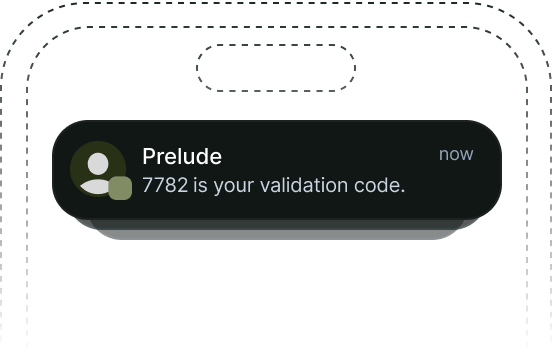
Verify is a powerful and easy-to-use API that lets you verify phone numbers and email addresses worldwide using the most appropriate and depending on your user’s context. It manages the full verification lifecycle for you, from initiating the verification and sending messages to performing retries, checking the validity of the code and returning the result. Businesses typically see a 20-30% increase in conversion compared with their previous provider, while saving 30-40% monthly. Prelude’s Verify API also detects and prevents fraud using algorithms trained on tens of millions of data points.Documentation Index
Fetch the complete documentation index at: https://docs.prelude.so/llms.txt
Use this file to discover all available pages before exploring further.

API
The Prelude v2 API is a REST API and uses standard HTTP features and statuses. The current URL ishttps://api.prelude.dev/v2.
Authentication
To perform requests on the API, you need to provide a v2 API key in theAuthorization header.
You can create an API key in the Dashboard, under the API Keys section of the
settings.
Example request
Errors
Prelude uses conventional HTTP statuses to indicate the success or failure of a request:- Codes in the
2xxrange indicate success. - Codes in the
4xxrange indicate an error that failed given the information provided (e.g. required parameter was omitted, authentication failed or a rate limit was reached). - Codes in the
5xxrange indicate an error with Prelude’s servers (these are rare).
The Prelude API returns errors using a JSON object in the response body with a machine-readable
code and a human-readable message and a param field.
See Errors for more details as well as a list of all possible error codes.
API Reference
Explore the Verification API reference to learn more about the available endpoints:Create/Retry Verification
Create a new verification session. If another non-expired verification
exists perform a retry instead.
Check Verification Code
Check the validity of a code.
Backend SDKs
Integrate effortlessly with Prelude using our Backend SDKs for your platform of choice.Node.js
Learn how to integrate the Node.js SDK into your application.
Go
Learn how to integrate the Go SDK into your application.
Python
Learn how to integrate the Python SDK into your application.
Kotlin/Java
Learn how to integrate the Kotlin/Java SDK into your application.
Ruby
Learn how to integrate the Ruby SDK into your application.
Frontend SDKs
Explore how you can enhance your verification process with our Frontend SDKs.Android SDK
Learn how to integrate the Android SDK into your application.
iOS SDK
Learn how to integrate the iOS SDK into your application.
Web SDK
Learn how to integrate the Web SDK into your application.
React Native SDK
Learn how to integrate the React Native SDK into your application.
Flutter SDK
Learn how to integrate the Flutter SDK into your application.