

Signals
Prelude’s machine learning models use a number of signals to distinguish fraudulent users from legitimate users. We infer some of these signals, but many depend on the information provided by your integration. The more data you provide, the more effective fraud prevention will be and the higher your conversion rate will be.Important signals to send to Prelude
To increase the effectiveness of fraud prevention, we recommend that you send the following signals to Prelude:Inferring signals from the User-Agent
Some signals can be inferred from the User-Agent string if you provide it to us:- Platform
- Device model
- OS version
os_version, device_platform, device_model) are provided, they will take precedence over those values instead of parsing them from the user agent string.
Adding more signals using our Frontend SDKs
You can add more signals that are collected directly from the user’s device using our Frontend SDKs.Web SDK
Learn how to integrate the Web SDK into your application.
Android SDK
Learn how to integrate the Android SDK into your application.
iOS SDK
Learn how to integrate the iOS SDK into your application.
React Native SDK
Learn how to integrate the React Native SDK into your application.
Flutter SDK
Learn how to integrate the Flutter SDK into your application.
Flagging existing users
Set theexisting_user signal to true when the phone number belongs to a user who already exists in your system — an existing account signing in again — rather than a first-time signup.
Unlike is_trusted_user, this signal does not bypass fraud checks. It is taken into account as one additional signal, alongside everything else we observe about the request.
Selectively bypassing the anti-fraud system
You can use theis_trusted_user signal to completely bypass the antifraud system for a specific verification request.
This field should indicate the trustworthiness of the user on your app, beyond just a basic validity check. It should ensure trust by confirming that the user is genuine within the context of your application. Examples of validation criteria include whether the user has completed onboarding steps, performed valid transactions, or completed a purchase.
When set to true, this will bypass fraud checks for that user.
Forcing a verification into challenge mode
Setoptions.force_challenge to true on the create-verification request when you have your own signal that a request is suspicious and want stricter routing, for example, when your application has detected automated behavior, an unusual sign-in pattern, or a velocity anomaly that Prelude’s signals alone wouldn’t see.
When set:
- The verification is routed through challenge-safe channels (non-SMS and non-voice) regardless of country or any antispam outcome.
- The response status is
challenged. If no challenge-safe channel is available for the destination, the verification is returned asblocked. - The verification is not classified as fraud. It does not contribute to anti-fraud counters or risk factors, and it is not surfaced as suspicious traffic in the dashboard.
Allow and block lists
You can configure your integration to allow or block specific users from signing in. This can be useful if you want to manually block users you have identified as fraudulent or to disable anti-fraud algorithms for specific users. To edit the allow or block lists, go to the Dashboard and navigate to the Verify API > Configure > Numbers tab.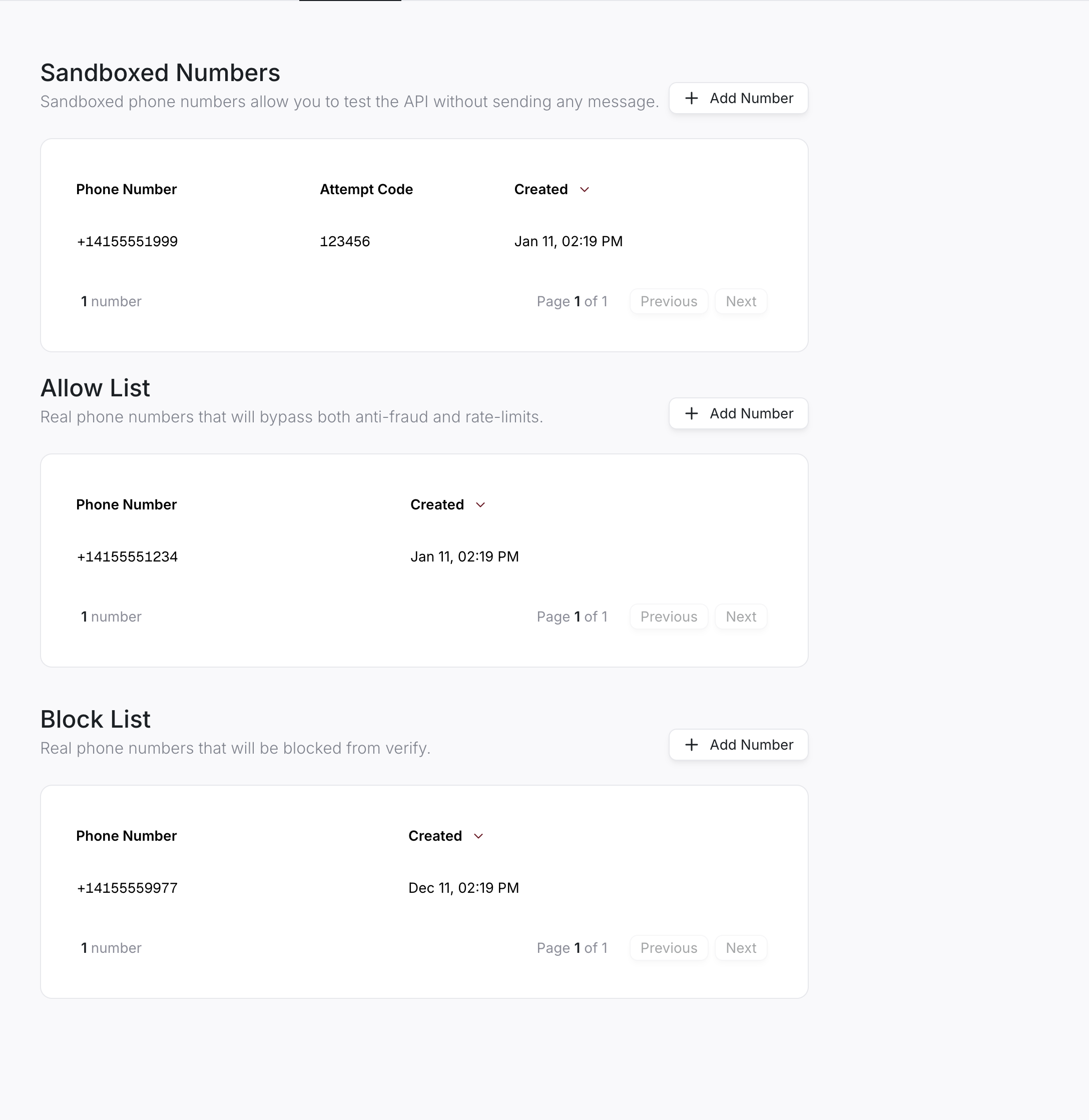
Allowlist